

The absence of spectacular battles, unusual characters, and complex quests does not prevent chess from remaining one of the most popular games in the digital age. Moreover, chess learning apps for iOS and Android continue to expand the global community of players. With their help, you can master the basics and compete with others on an international level. We have compiled a selection of the best tools for learning chess rules and strategy.
Chess Learning Apps for iOS and Android
Mobile apps make it possible to learn chess anytime and anywhere. The learning process typically includes interactive lessons, training exercises, and the ability to play against a computer or other players.
High-quality apps feature intuitive interfaces and use a variety of teaching methods, including structured lessons, tactical puzzles, and strategic challenges. Multiple difficulty levels allow users to track their progress effectively.
Chess.com
Chess.com is widely regarded as the leading chess app. It allows you not only to play online but also to learn, analyze games, and interact with a vast global community of players.
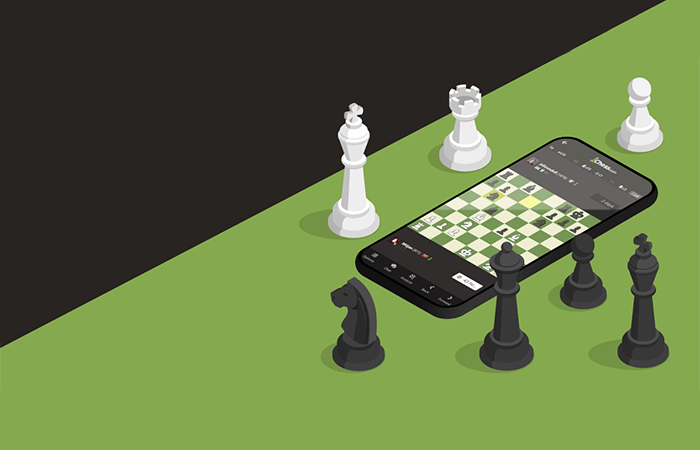
Chess.com key features:
- Languages: Multilingual platform
- Built-in game analysis engine with mistake detection and best-move suggestions
- Daily puzzles and tactical challenges
- Game modes: bullet, blitz, rapid, correspondence
- Live streaming and real-time tournament viewing
- Courses taught by grandmasters
- Personalized learning recommendations
- Over 70 million players worldwide
- Available on Android
- Available on iOS
- Platform: https://www.chess.com
ChessKid
ChessKid is ideal for students and beginners in the world of chess. The app focuses on fundamentals, rules, and basic lessons, as well as entertaining videos from FunMasterMike. It also includes a system of rewards and achievements that motivates users to learn regularly and improve their skills.
ChessKid key features:
- Languages: Multilingual platform
- Parental controls and child account management
- No open chat with strangers (safe communication environment)
- Adaptive difficulty
- Gamification (avatars, levels, missions)
- Progress reports for parents and teachers
- Available on Android
- Available on iOS
- Platform: https://www.chesskid.com
Dr. Wolf
Dr. Wolf is an ideal assistant. The app plays with you while explaining every move. It is suitable for beginners and intermediate players. During the game, Dr. Wolf teaches strategic ideas and helps correct mistakes. In addition, the app includes twenty-five lessons that explore various concepts in detail and provide extensive opportunities for practice. Dr. Wolf is presented as a friendly, gentle, and sometimes witty mentor.
Dr. Wolf key features:
- Languages: English
- Step-by-step explanations of mistakes in real time
- Adapts to your playing style
- Ability to retry positions and explore alternative moves
- Focus on learning through practice rather than theory
- Personalized coaching experience
- Available on Android
- Available on iOS
Chess Guess
Chess Guess is designed as a training course focused on the fundamentals of chess game analysis. While playing, you will not only learn about chess history and discover famous champions, but also regularly test your knowledge by completing tasks. Users are offered 400 annotated games with more than 2,500 exercises, including finding the best move based on real matches played by top players.
Chess Guess key features:
- Languages: English, Russian
- “Guess the move” format as a learning method
- Based on real games by top players
- Focus on positional understanding, not just tactics
- Progress tracking and difficulty scaling
- Available on iOS
Play Magnus
Play Magnus is named after World Champion Magnus Carlsen, one of the most talented chess players in the world. The app allows you to adjust difficulty levels and choose from 19 stages corresponding to Magnus’s skill at different ages. You can also hear quotes from Magnus and even get a chance to play against him.
Play Magnus key features:
- Languages: Multilingual platform
- Play against “AI Magnus” at various ages
- Learn through the champion’s playing style
- Additional apps in the Magnus ecosystem (Trainer, Tactics, etc.)
- Competitive events and challenges
- Integrated training content from Magnus Carlsen’s team
- Available on Android
- Available on iOS
- Platform: https://playmagnus.com
Chess King
Chess King is a free chess learning app that offers a collection of courses covering tactics, strategy, openings, middlegame, endgames, and more. The courses are divided into levels from beginner to professional, and the app acts as a coach by providing exercises and helping you solve them. It offers hints, explanations, and even demonstrates refutations of incorrect moves you might make.
Chess King key features:
- Languages: Multilingual platform
- Offline access to courses
- Structured learning program (like a textbook)
- Large library of exercises (thousands of tasks)
- Specialized courses (e.g., endgames only)
- Spaced repetition system for mistakes
- Available on Android
- Available on iOS
- Platform: https://chessking.com
Lichess
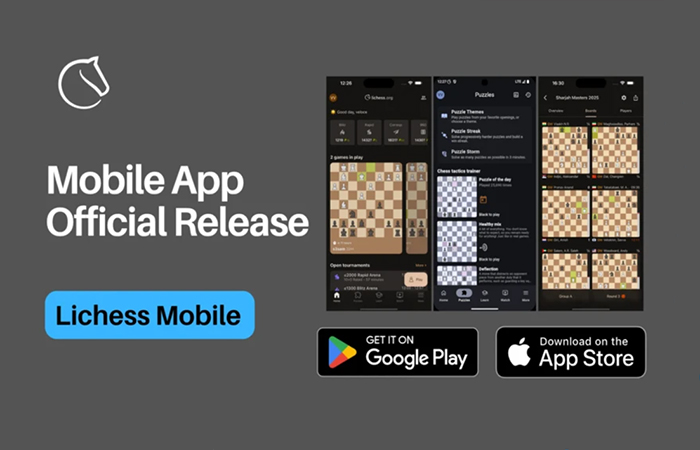
Lichess allows you to play both against a computer and against other users online. Notable features include adjustable difficulty levels, the ability to invite friends, various game modes (Chess960, King of the Hill, Three-check, Anti-chess, Atomic, Horde), and exporting games in PNG format. A major advantage is the complete absence of ads.
Lichess key features:
- Languages: Multilingual platform
- Completely free with no hidden paid features
- Open-source platform (transparency and trust)
- Powerful built-in analysis (Stockfish)
- Play anonymously without registration
- Tournaments and live arenas
- Import/export games (PGN)
- Available on Android
- Available on iOS
- Platform: https://lichess.org
Chess Free
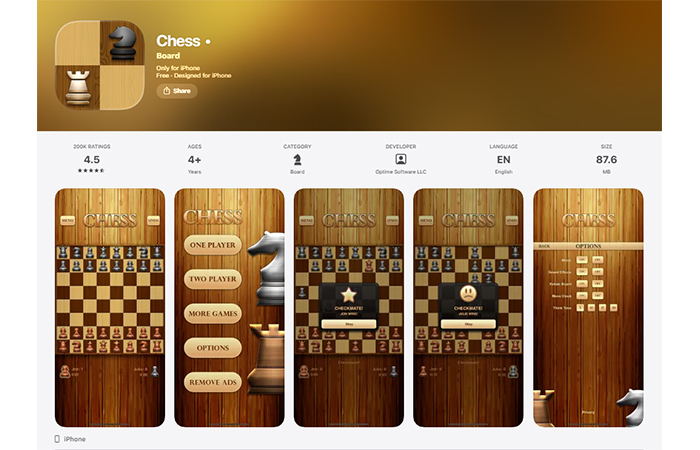
Chess Free is designed for beginners and offers several game modes: “Amateur,” “Pro,” and “Coach.” In “Amateur” mode, players can undo moves, get hints, gain an advantage as White, or see how the computer evaluates a move. In “Pro” mode, all assistance is disabled, making the game more challenging. In “Coach” mode, the app teaches correct moves by highlighting pieces that can be moved, helping users better understand gameplay and avoid mistakes.
Chess Free key features:
- Languages: English
- Offline gameplay without internet access
- Adjustable AI difficulty
- Visual hints for learning
- Quick start without registration
- Minimalist interface without unnecessary features
- Available on Android
- Available on iOS
Chess Clock
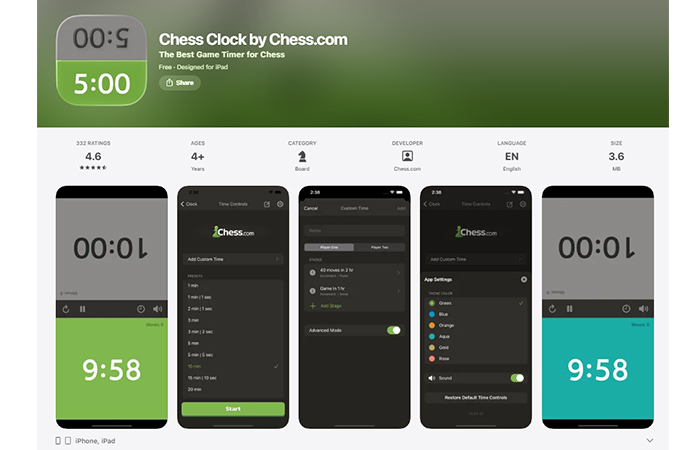
Chess Clock stands out with its unique timer functionality. By selecting a timer, both players receive a fixed amount of time for their moves, adding extra dynamics to the game. It can also be used for training purposes to improve time management during matches. The app supports both landscape and portrait orientation for your convenience.
Chess Clock key features:
- Support for different time formats (Fischer, Bronstein, etc.)
- Customizable timer settings for tournament rules
- Large buttons for convenient use during gameplay
- No distracting elements
- Suitable for offline tournaments and practice
- Available on Android
- Available on iOS
8-Queen
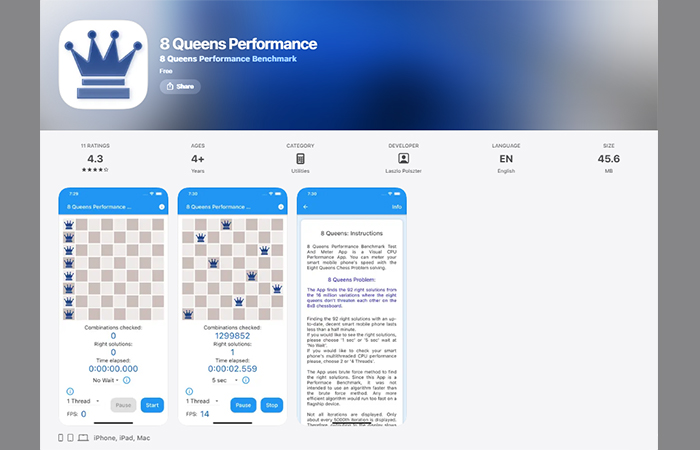
8-Queen is a chess-based puzzle app focused on solving the classic eight queens problem. The goal is to place eight queens on the board so that none of them attack each other. While it may seem simple at first, the task quickly becomes challenging. The app provides an engaging and intellectually stimulating experience, helping to develop logical thinking and strategic planning.
8-Queen key features:
- Languages: Multilingual platform
- Built-in timer
- Incorrect moves highlighted in red
- Multiple difficulty levels or puzzle variationsd
- Learning through trial and strategic thinking
- Visualization of threats and possible moves
- Available on Android
- Available on iOS
The choice of a chess learning app depends on the player’s goals, level of experience, and personal preferences. Apps like Chess.com and Lichess offer extensive opportunities for both learning and online play, while simpler apps are better suited for beginners.
Given the growing interest in chess, we can expect developers to continue improving their apps by introducing new teaching methods, refining the user interface, and expanding their features, while also adding interesting facts about chess to make the learning experience more engaging.
Which chess apps do you use? I would love to hear your favorites!